Joon App Review (2026): $89.99 a Year, Worth It for ADHD?

Joon turns chores into a pet game, and parents of kids with ADHD often love it. In its store reviews, the praise that comes up most is less nagging: the child does the task to feed the pet. It also costs $89.99 a year after the trial, asks about your child's diagnosis before it starts, and moves your child's routine onto a game screen. This Joon app review puts it side by side with Family Checklist, a simple family chore chart that is free for three family members with no time limit. Then you can see which one your family actually needs.
How we tested. We installed the apps from Google Play on one Android phone and used them from October 2 to 8, 2026, with the same pretend family: a parent, Alex, and two kids, Emma and Leo (Joon froze when we added a second child, so its screens show Emma only). We bought nothing. Family Checklist is our app, so we put it first; every price, limit and screen below is what the apps showed on our test phone or in their store listings.
The short answer
- Family Checklist if you want the routine to stick without another game on a screen: one week chart for the whole family, free for three people with no time limit, a printable chart for the fridge, and $29.99 a year or $49.99 once if you outgrow it.
- Joon if your child (6 to 12) truly won't touch a list but will do anything for a virtual pet, and you are fine paying about $90 a year for that.
Joon App Review: Price, Free vs Premium
Swipe the table sideways →
| Tested Oct 2026 | Family Checklist | Joon |
|---|---|---|
| Free, no time limit | Yes: 3 family members × 3 tasks | Yes, limited; Premium offer shown again on reopening |
| Yearly price | $29.99 (7-day trial) | $89.99 after a 7-day trial |
| One-time purchase | $49.99, yours for good | No |
| Sign-up to start | None | Email, password and a questionnaire |
| Whole family on one chart | Yes, a parent too | No, a daily list |
| Printable fridge chart | Yes, this week free | None found |
| What the child uses | Their own tab, ticks only | A separate pet game |
| Coins and rewards shop | No: you choose real-life rewards | Yes |
US prices are from the US App Store, before tax.
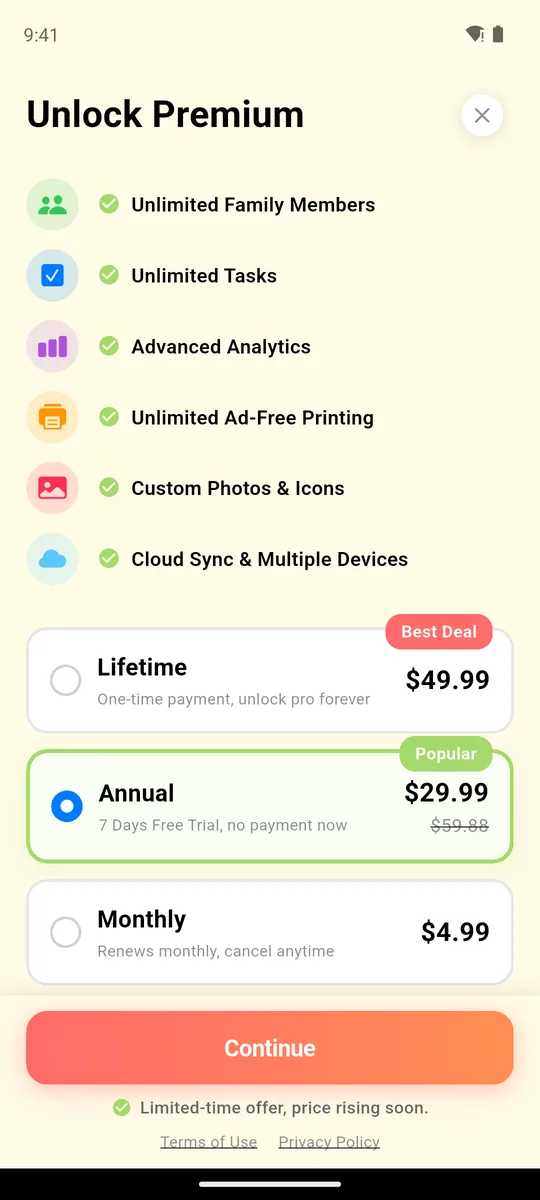
Premium: $29.99/yr or $49.99 once
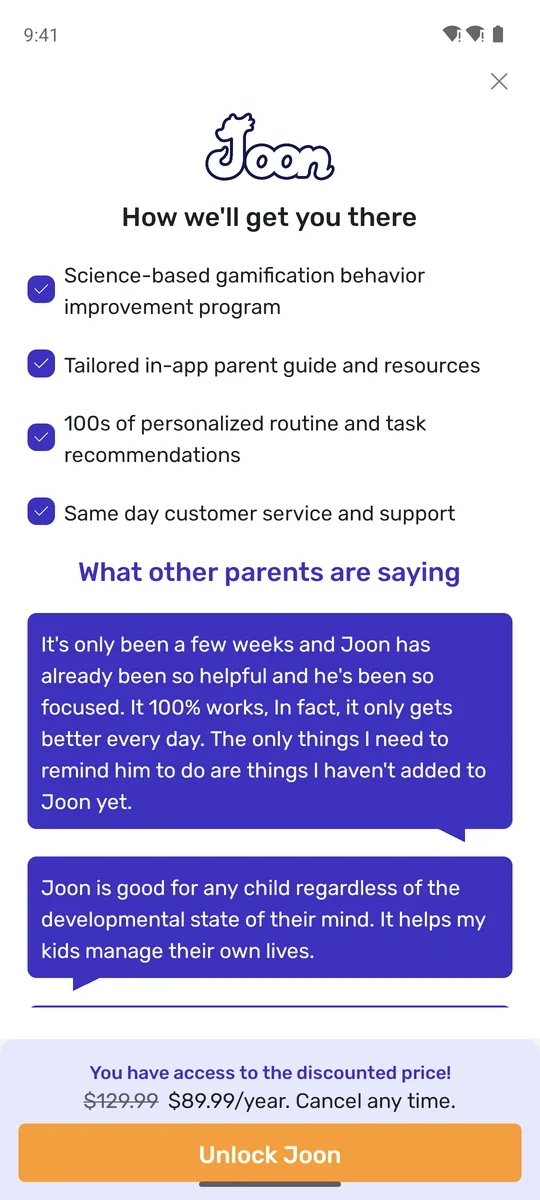
shown again when we reopened the app
Joon's offer appeared right after sign-up and again when we reopened the app later in the week. Its site lists $12.99 a month or from $89.99 a year, and the US App Store lists purchases up to $149.99, so check your own screen. Family Checklist costs a third as much per year, and unlike Joon it has a one-time option, $49.99, so you never pay again. Free covers any three people: you and two kids, or two parents and a child. A fourth person, or the chart on a second phone, is Premium.
How Joon Works: Quests, the Pet and Parent Approval
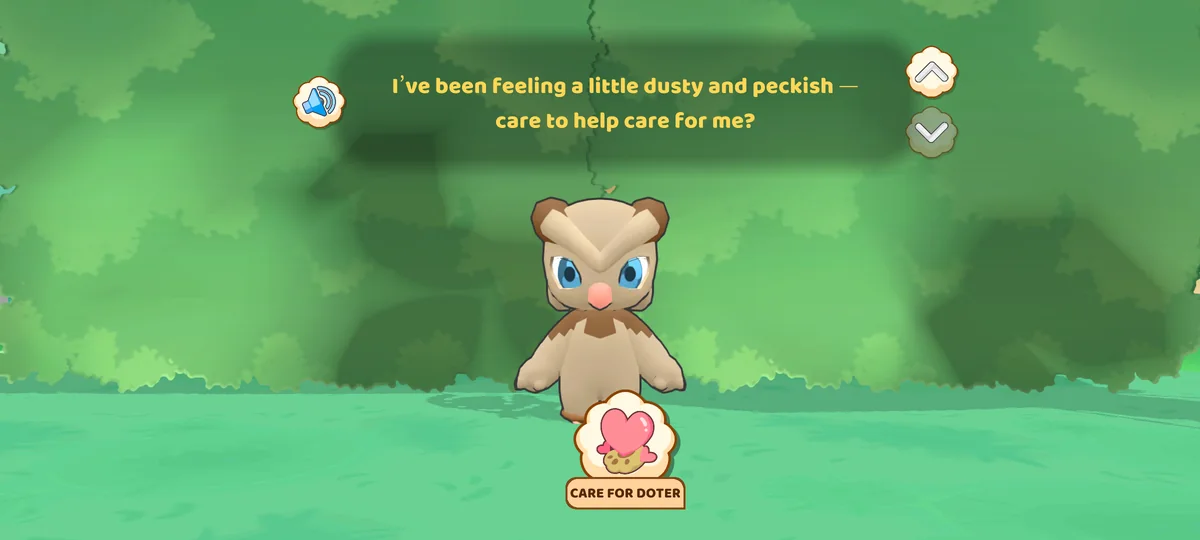
In the parent app you add chores as quests. Each one gets a difficulty slider, a coin reward (10 coins on our test quests), a repeat schedule and a time of day: morning, afternoon, night or anytime. The child plays a second app, Joon Pet Game, logged in with a code from the parent app. There they adopt a pet, which Joon calls a Doter, and today's quests show up inside the game with a Complete button.
When the child marks a quest done, you get a notification to approve or reject it. Approved quests pay coins, which the child spends to feed and care for the pet and unlock more of the game. You can also set real rewards in the parent app, such as screen time bought with coins or a trip out for ice cream. Joon's own store page is frank about the catch: "Make sure to stay involved in the process and keep assigning new quests as needed."
Getting Started: One Minute or a Questionnaire
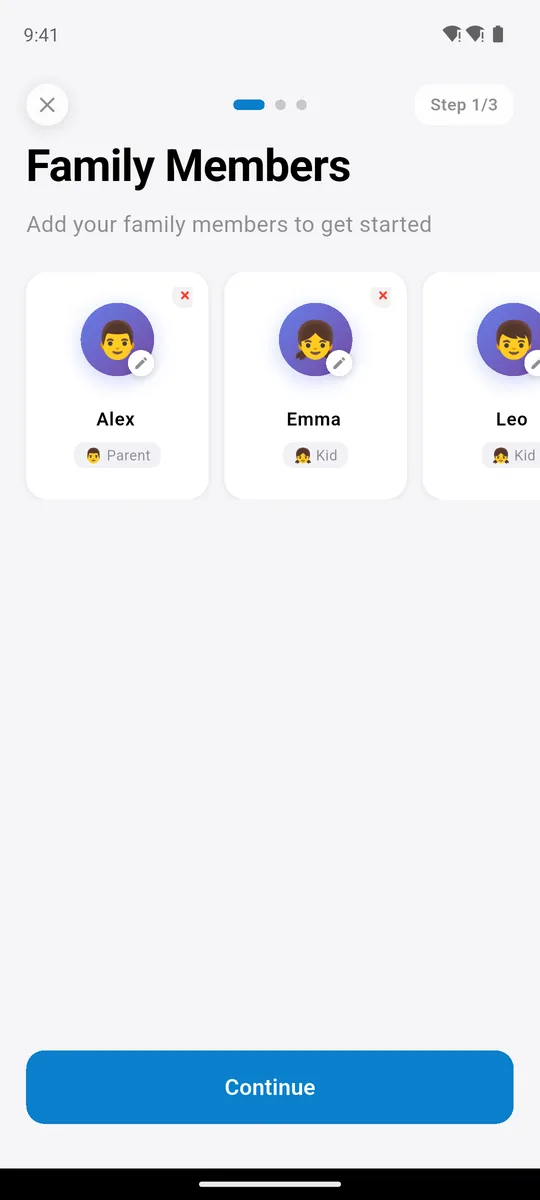
step 1: who is in the family
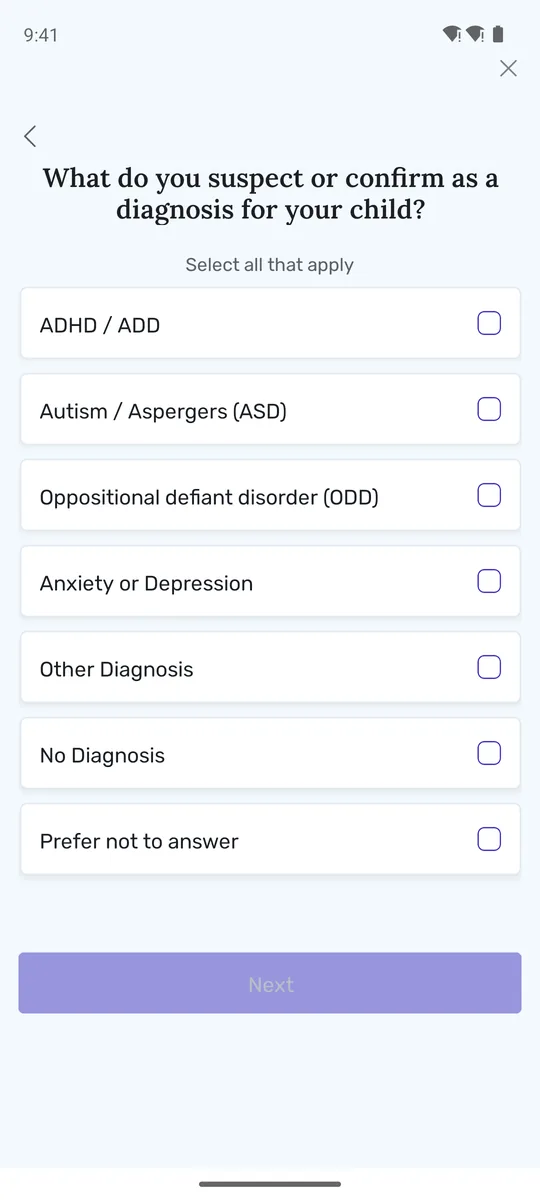
one of its setup questions
Family Checklist needs no account: type the names, tick tasks from a list with icons, pick the days, done. It took us about a minute. Joon starts with an email and password and a questionnaire about each child, including suspected diagnoses. Some parents will welcome that; others would rather not hand that information to a chore app.
Set up your family's chart in a minute. Free for three family members, no sign-up.


One Chart for the Whole Family
the whole week, everyone
today's quests
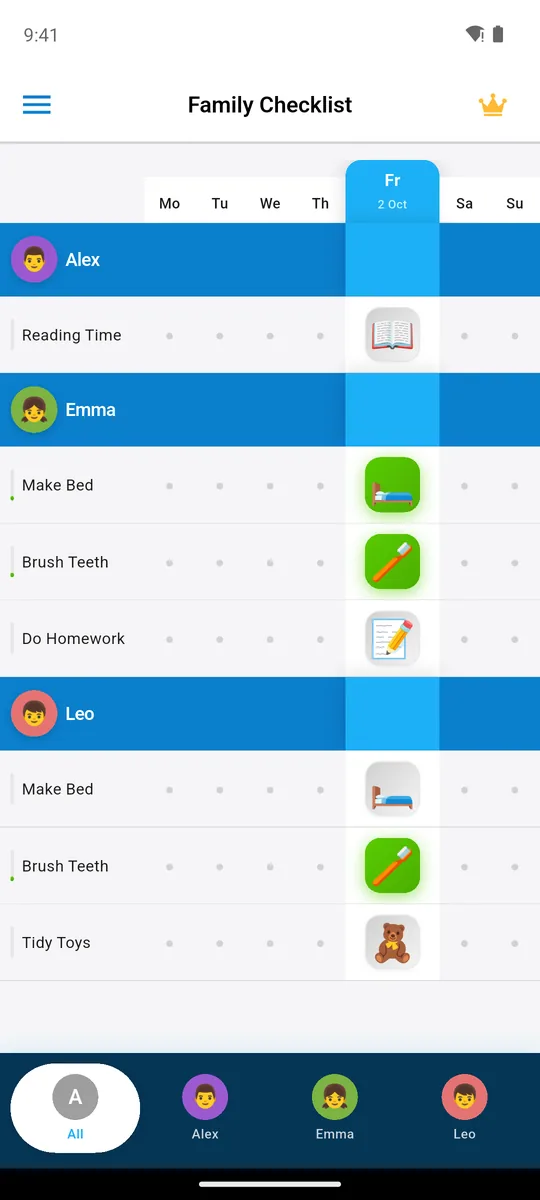
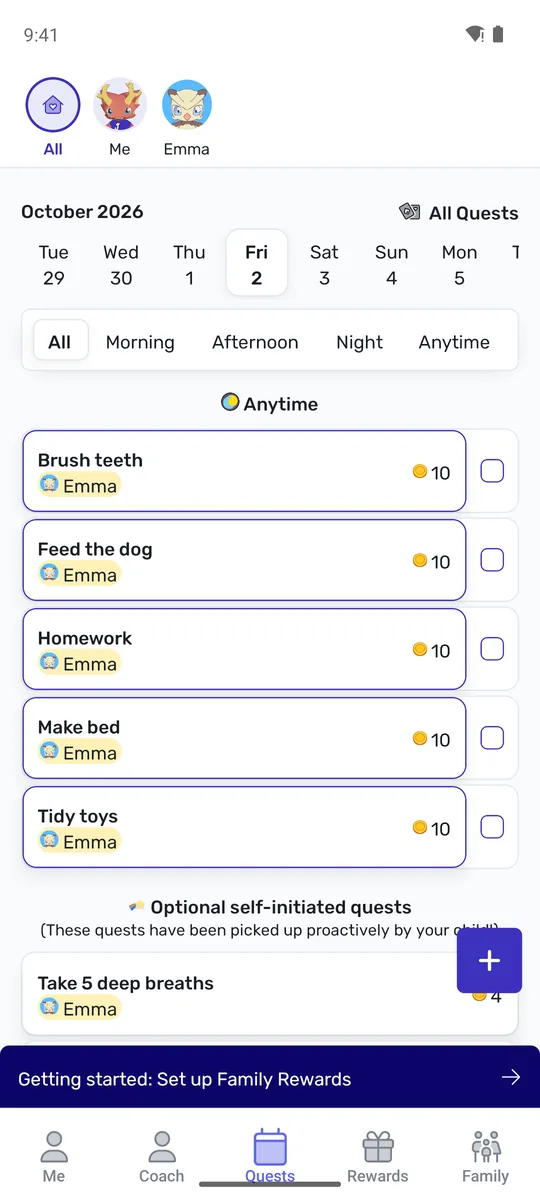
On Family Checklist's main screen you see the whole week for the whole family at a glance: who made their bed, who still has homework, and your own tasks too, because routines work better when parents are on the chart. Joon's parent screen is a list of today's quests with coin values, plus banners for coaching, a guest pass and an AI pet chat.
What Your Child Sees: a Checklist or a Game
Emma's tab: just her tasks
a separate pet game, played sideways
This is the real choice. In Joon, the child installs a second app, adopts a pet and sees chores as quests inside a game; finishing one earns coins to feed the pet. For some kids that is the hook that finally works. But it is more time on a screen, and the shine can fade. “My child lost interest in a matter of days, just long enough to use up free trial,” one parent wrote (App Store review, June 17, 2024, 1★). Another: “I found that after the newness had worn off for the kids that I was back in nag mode to make them check the app” (App Store review, July 29, 2025, 2★).
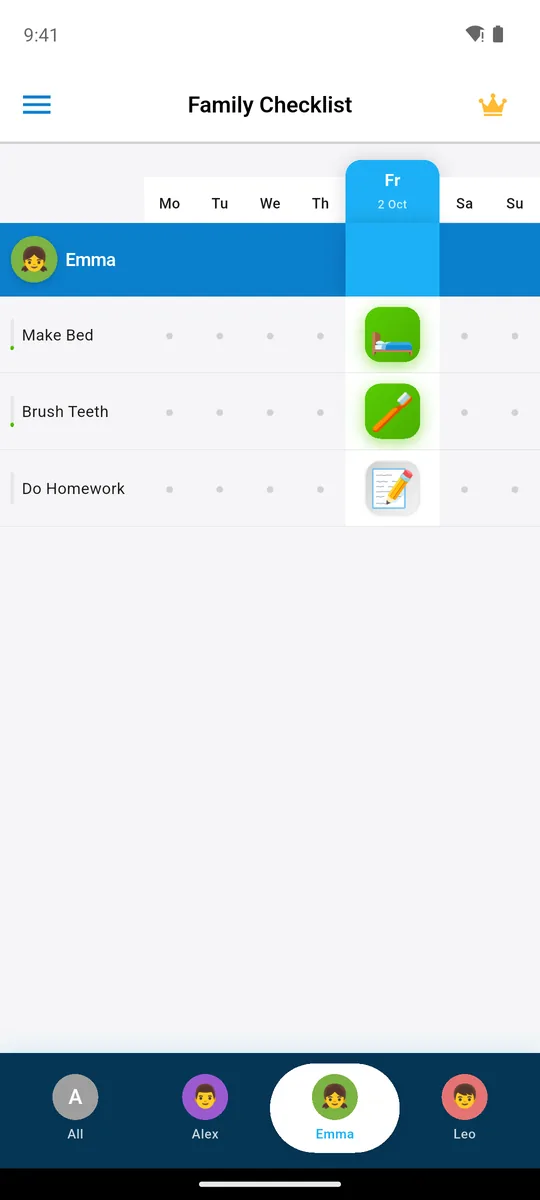
In Family Checklist the child taps their name and sees only their tasks to tick. Nothing to feed, buy or unlock, so the reward is the finished routine and whatever you agree on at home: a Saturday pancake vote, a later bedtime. Our guide to motivating kids without money or punishment has ten ideas, and how long habits really take explains why week two matters more than day one.
A Chart for the Fridge
print this week free
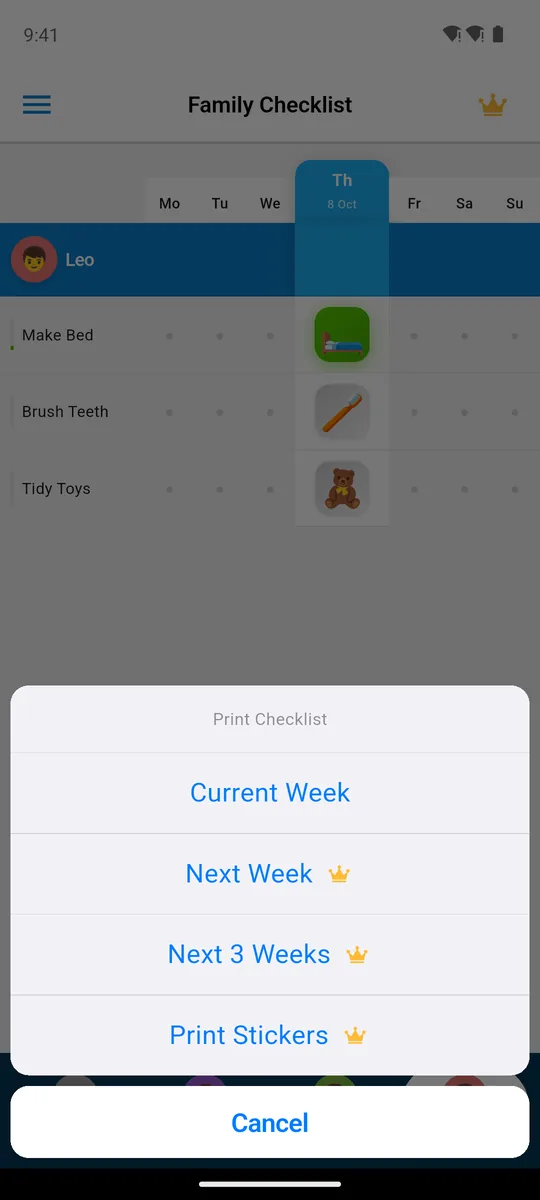
Many younger kids follow a paper chart on the fridge more easily than an app on a parent's phone, and many families use both. Family Checklist prints the week's chart as a PDF for free; we found no print option in Joon. If paper is all you need, start with our printable chore charts or see app vs printable chore chart.
When Joon Is the Better Pick
Be honest with yourself about your child. If they ignore every list and chart you have tried, but light up for games, Joon's pet can be worth the $90: many parents of kids with ADHD in its reviews say it was the first thing that worked. Keep in mind that an app is not ADHD treatment; the American Academy of Pediatrics recommends medication together with parent behavior training for ages 6 to 12. If you suspect ADHD, talk to your pediatrician first; a chore app can support a plan, not replace one.
For everyone else, a plain chart the whole family shares, on the phone and on the fridge, is cheaper, quicker to set up and keeps the routine off the game screen. Start with three tasks per child; our morning routine guide, after-school routine and chores for 8-year-olds show which.
Key Takeaways
- Joon costs $89.99 a year after a 7-day trial, and showed its offer again when we reopened it.
- Family Checklist is free for three family members with no time limit, then $29.99 a year or $49.99 once.
- Joon is a game; Family Checklist is a chart. Pick the game only if your child needs one.
- Family Checklist puts the whole family on one week chart and prints it for the fridge for free.
- Setup: a minute and no account, versus an account and a questionnaire about your child.
Frequently Asked Questions
Is Joon free?
Joon says a limited version is free, but right after sign-up our phone showed a 7-day trial and then $89.99 a year, and the offer came back when we reopened the app.
How much does Joon cost per year?
Our paywall in October 2026 showed $89.99 a year with $129.99 crossed out. Joon's site lists $12.99 a month or from $89.99 a year; the US App Store lists purchases up to $149.99.
What is a good free alternative to Joon?
Family Checklist: free for three family members with three tasks each and no time limit, no sign-up, a week chart for the whole family and a free printable chart. If you need more, it is $29.99 a year or $49.99 once.
Does my child need their own phone for Joon?
They need the separate Joon Pet Game app, logged in with a code from the parent app, on a tablet or a parent's phone. In Family Checklist the child uses their own tab on your phone, free; putting the chart on the child's own phone needs Premium family sync.
Is Joon good for ADHD?
Many ADHD parents in its reviews praise it, and its coins are a token system, a known behavioral tool. It is not a treatment: the AAP recommends medication plus parent behavior training for ages 6 to 12.
How do I cancel Joon?
Cancel in the store you subscribed through; if you are on the 7-day trial and don't want to pay, cancel before it ends. On iPhone: Settings, tap your name, Subscriptions, tap the Joon subscription, Cancel Subscription (Apple's steps). On Android: open Subscriptions in Google Play, select Joon, tap Cancel subscription and follow the instructions (Google's steps).
Related Reading
- Best Chore Apps for Kids 2026: 7 Apps and Their Game Mechanics Compared
- Printable Chore Chart for Kids: 10 Free School-Year Templates (2026)
- How Long Does It Take to Form a Habit? 66 Days, Not 21
- 10 Ways to Motivate Kids to Do Chores (Beyond Money and Punishment)
- Family Routine App vs. Printable Chore Chart: Which Works Better?
- Morning Routine for Kids
Try Family Checklist free
Three family members, three tasks each, no time limit and no sign-up. One week chart for everyone, and this week's chart prints free for the fridge.